Help Centre / Missing rewards
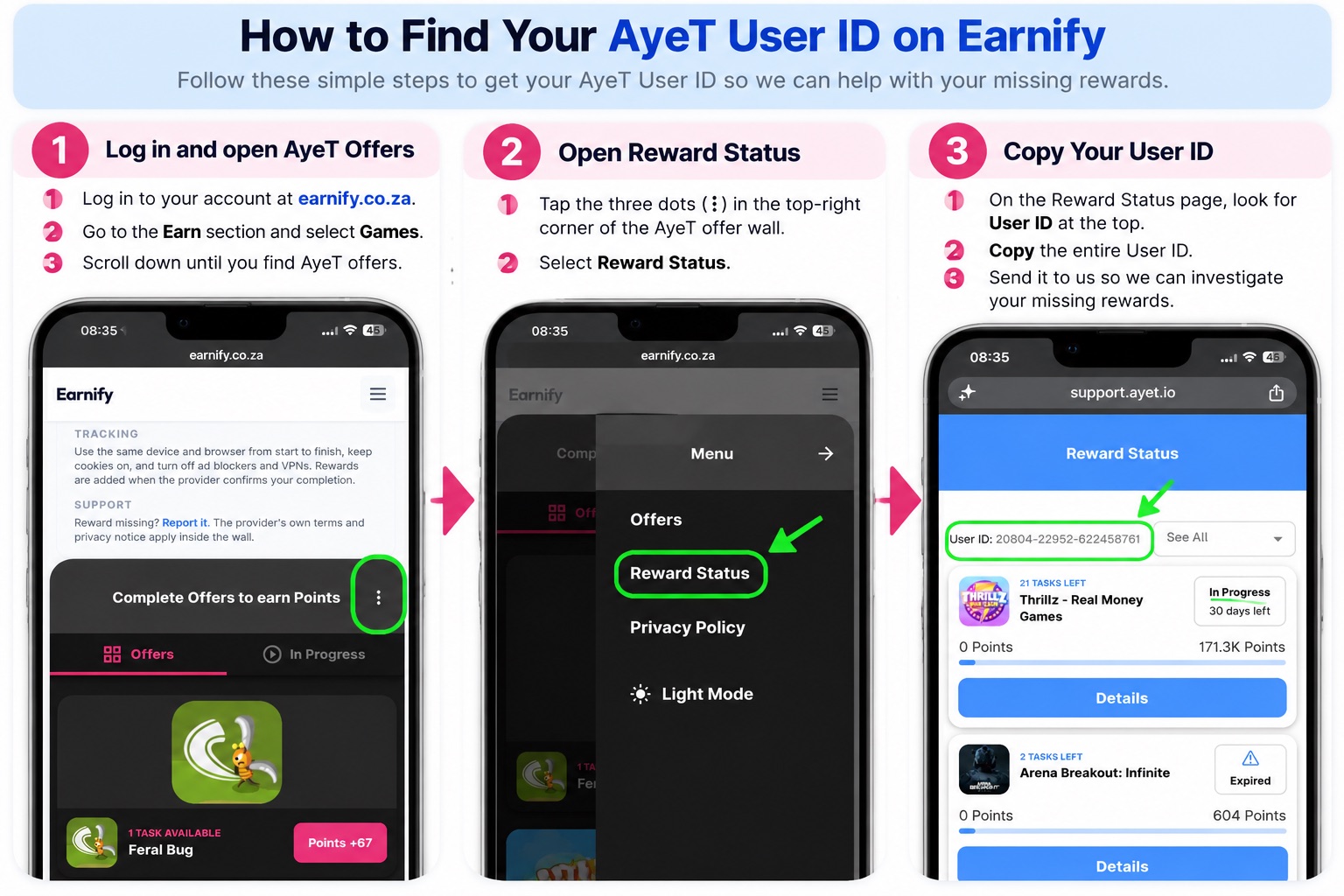
How to find your AyeT User ID
We need this ID to look into a missing AyeT reward. It takes less than a minute to find.
-
Open AyeT Offers
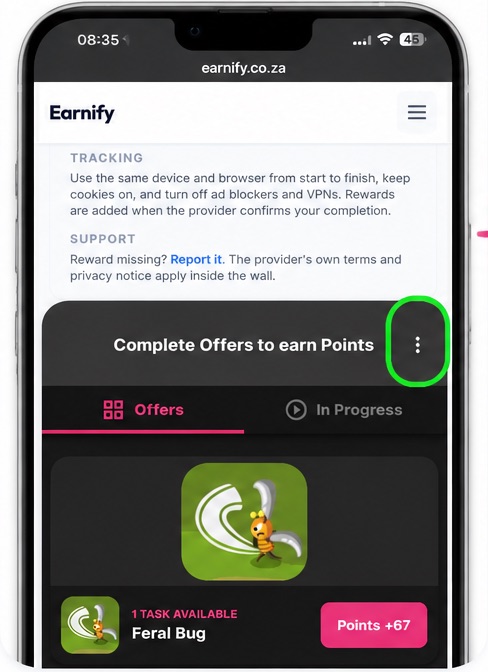
- Log in to your account at earnify.co.za.
- Go to the Earn section and select Games.
- Scroll down until you find AyeT Offers.
-
Open Reward Status
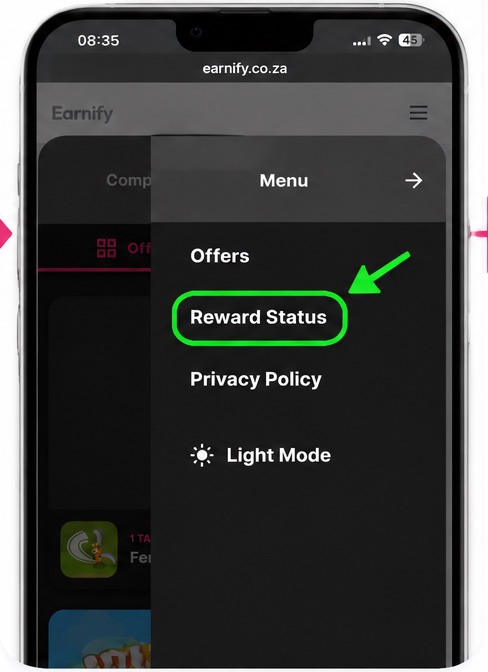
- Tap the three dots (⋮) in the top-right corner of the AyeT offer wall.
- Select Reward Status from the menu.
-
Copy your User ID
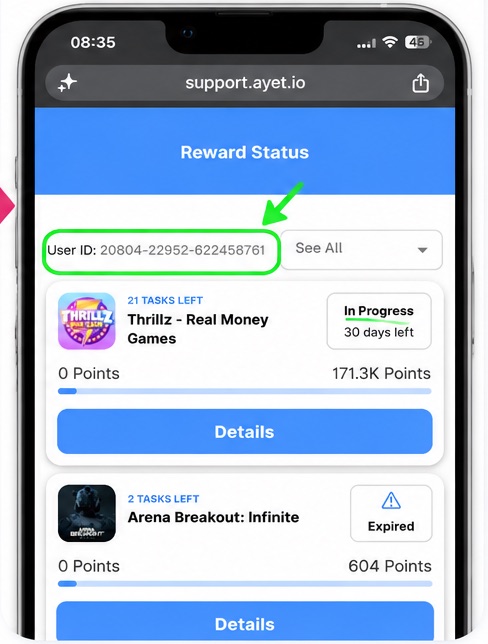
- On the Reward Status page, look for User ID at the top.
- Copy the entire User ID. It is three groups of numbers joined by dashes.
- Send it to us (see below) so we can investigate your missing reward.
Send us your User ID
- Already reported the reward? Reply to the email we sent you, or email info@earnify.co.za, with your report reference (for example RC-000123) and your AyeT User ID.
- Not reported yet? Use the missing-reward form and paste your User ID into the What happened? box.